
A business owner searching “how to fix my google business listing” should first identify the problem, then follow the matching repair process. Incorrect contact details need an edit; lost access needs account recovery or an ownership request; verification problems need the available verification steps; and a suspension needs a policy review and appeal.
A Google listing can send customers to the wrong place or leave them unsure whether a business still operates. However, making random changes can complicate the repair. This guide explains a practical sequence for owners and managers, with links to Google’s official instructions.
Guidance checked on 8 October 2026. Google may change menu labels, available features, and review processes by region.
First, identify what needs fixing
Before editing anything, the owner should record the exact error and take a screenshot. Next, a simple issue log can separate an account problem from a public listing problem.
| Problem | First action |
|---|---|
| Wrong hours, phone number, website, or map location | Open the profile and review the relevant field. |
| No access to management controls | Check the signed-in account and ownership status. |
| A verification prompt or rejected video | Read the verification notice and complete the available steps. |
| A suspended or disabled profile | Review the policy issue before submitting an appeal. |
| Two listings for the same business | Identify the original profile before removing or merging anything. |
| A live listing with weak visibility | Assess local relevance and competition separately from technical errors. |
For example, a shop showing yesterday’s closing time has a different problem from a shop that cannot access its account. Consequently, the repair should follow the symptom rather than a generic checklist of changes.
How to open Google Business Profile Manager
Google Business Profile Manager provides a starting point for accessing business profiles. Owners can also manage profiles directly through Google Search and Maps while signed in to the linked Google Account.
First, the owner should search for the business name and city. Then, the management controls should appear for an account with the appropriate access. If the controls do not appear, the owner should check other business Google Accounts before assuming the listing has disappeared.
Meanwhile, an agency or staff member should use individual access rather than a shared password. Google’s owner and manager guidance explains how an owner can invite another account through Business Profile settings and People and access. Managers can handle everyday profile work, while owners control user access.
1. Correct inaccurate business information
Once the owner has access, the next step is to open Edit profile, change the incorrect field, and save. Google’s editing instructions cover both Search and the Maps app.
- Contact details: Check that the phone connects to the business and the website opens the correct page.
- Hours: Review regular hours, then add special hours for holidays or temporary changes.
- Address: Confirm the actual location and inspect the map pin.
- Category: Select a category that accurately describes the main business.
After saving, the owner should check the edit status rather than assume the public listing changed immediately. Google reviews submitted changes. Moreover, a new address or other significant changes can trigger further verification.
As a practical check, a colleague can open the public listing and test its website link. This separates the saved management view from the information customers actually see.
2. Check the business name and eligibility
Before making broader changes, the owner should compare the listing with Google’s business representation guidelines. The name should match the business’s real-world branding, rather than include extra search phrases or promotional claims.
Likewise, the address must represent an eligible operating location. A rented mailing address alone does not qualify as a business location. Service-area businesses that travel to customers should follow Google’s address-display rules instead of presenting a residential base as a customer-facing shop.
For instance, a plumber who visits customers should describe the actual operating model. Adding a pretend storefront creates a policy problem, even if the address appears on a website.
In addition, categories should describe the business accurately. Choosing unrelated categories merely to attract more searches can confuse customers and weaken the listing’s reliability.
3. Recover access or request ownership
If the original account still belongs to the business, account recovery is the logical first step. Otherwise, the authorized owner may need to request access to an existing verified profile.
Google’s ownership request guide explains the process. For a storefront or hybrid business, the applicant can find the existing profile through the add-business flow and select Request Access. Service-area ownership requests may require support.
The current owner normally has three days to respond. After that, Google may offer a claim or verification option, although it does not offer that option in every case.
Importantly, creating another listing does not solve an ownership dispute. Instead, the owner should preserve the confirmation email, track the request, and follow the route Google provides.
4. Resolve verification problems
Google determines which verification methods a profile can use. Therefore, the owner should follow the options on the screen rather than expect a particular phone, email, mail, or video method.
If a video fails, the owner should open Review issues and address the stated gaps. For example, the submission may need clearer evidence of the location, business operations, or the person’s authority to manage it. Google’s verification guide explains the available methods and troubleshooting steps.
Next, the owner should allow time for review. Google states that verification reviews can take up to five business days, with some cases taking longer.
Meanwhile, verification codes should remain private. If another verification prompt appears, the owner should follow the new instructions rather than treat the earlier attempt as a permanent approval.
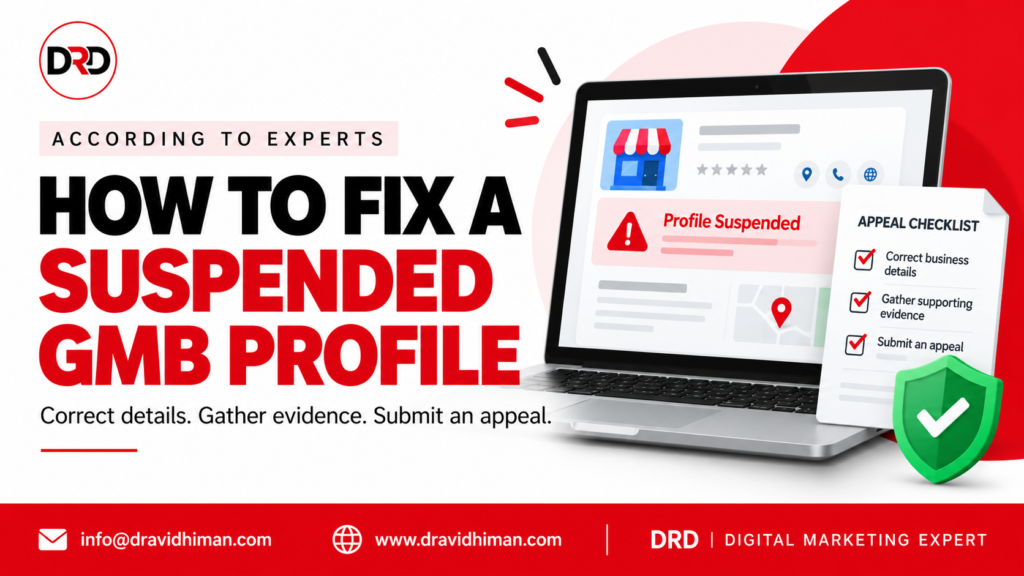
5. Fix a suspended or disabled profile
A suspension requires a different approach from an ordinary edit. First, the owner should review the notification and correct any business information that conflicts with Google’s policies.
Next, the owner should gather genuine supporting documents. Registration records, business licences, tax certificates, or utility bills can help establish the business’s identity. The name and address on the evidence should match the profile.
Google’s suspension appeal instructions explain the official process. If the evidence form opens, the applicant must submit it within 60 minutes for Google to attach that evidence to the appeal.
While Google reviews the appeal, the owner should avoid creating a replacement profile for the same business. Additionally, a clear record of the original issue, corrections, and submitted evidence makes follow-up easier. No agency can guarantee reinstatement or a particular review date.
6. Resolve duplicate listings carefully
Duplicate profiles can divide customer attention and cause display problems. However, the owner should identify both listings before removing either one.
First, the owner should compare names, addresses, ownership, and reviews. If two profiles represent the same business, Google’s duplicate profile guidance explains removal and merge options. Google reviews merge requests; merged profiles can combine reviews, but review replies may disappear.
By contrast, distinct eligible businesses at one address may qualify for separate profiles. An incorrect duplicate designation therefore needs evidence and support rather than automatic deletion.
If the business has moved, the owner should update the existing profile instead of creating another listing solely for the new address.
7. Separate profile repairs from local ranking improvements
A live, accurate listing does not automatically rank first. According to Google’s local ranking guidance, relevance, distance, and prominence help determine local results.
After resolving errors, the business can improve the usefulness of its profile with complete information, genuine photos, and helpful review responses. Nevertheless, distance remains part of local search, so visibility can change across locations.
For more context, the site’s guide to why a business ranks in one city but disappears in another explores location-based visibility.
This article addresses a worldwide audience seeking listing help. However, the listing itself serves local discovery; repeating global keywords inside it cannot turn a local business into a worldwide Maps result.
When professional SEO support can help
Some businesses need help coordinating profile corrections with their website and wider marketing. In that case, owners comparing AI SEO Services in Chandigarh should ask how the provider checks factual accuracy and reviews AI-assisted recommendations.
Similarly, a business searching for the Best Digital Marketing Services in India should compare the actual scope of work, reporting, access arrangements, and documented results. A search phrase alone does not establish service quality.
Before appointing a provider, the owner should request a written explanation of the issue and the proposed changes. Furthermore, the business should retain control of its primary ownership and understand any agency fees. Google’s decisions remain separate from the provider’s services.
For a discussion about profile and website priorities, the business can contact D Ravi Dhiman with the exact error message and public listing link. Sensitive account details and verification codes should stay private.
Frequently asked questions
Qus. 1 – How to fix my google business listing when the details keep changing?
The owner should compare the public listing with the saved profile fields, review available update notices, and keep a dated change log. Then, the business can correct the inaccurate field and investigate conflicting information elsewhere.
Qus. 2 – Is Google Business Profile Manager the only way to edit a listing?
No. Owners and authorized managers can also edit through Google Search and Maps. However, the linked Google Account must have the appropriate access.
Qus. 3 – Does fixing a listing cost money?
Google does not charge businesses to add or claim a profile. An independent professional may charge for assistance, so the owner should confirm the scope and fees before engaging one.
Qus. 4 – Can a business fix every problem by creating a new profile?
No. A second profile can introduce a duplicate issue. Instead, the owner should use the relevant access, verification, correction, or appeal process.
Qus. 5 – Will these changes guarantee first-place rankings?
No. Accurate information helps customers and supports local relevance, but Google controls search results. Consequently, the business should measure improvements without treating a specific position as guaranteed.
A practical final checklist
- Record the exact problem and the affected listing.
- Confirm the correct account and ownership access.
- Check eligibility and real-world business details.
- Follow the matching correction, verification, or appeal process.
- Review the public result and keep evidence of the outcome.
Ultimately, a reliable listing starts with accurate information and the correct repair route. Once the immediate issue settles, regular checks can help the business catch new errors before they disrupt customer enquiries.

2 Comments